
The product
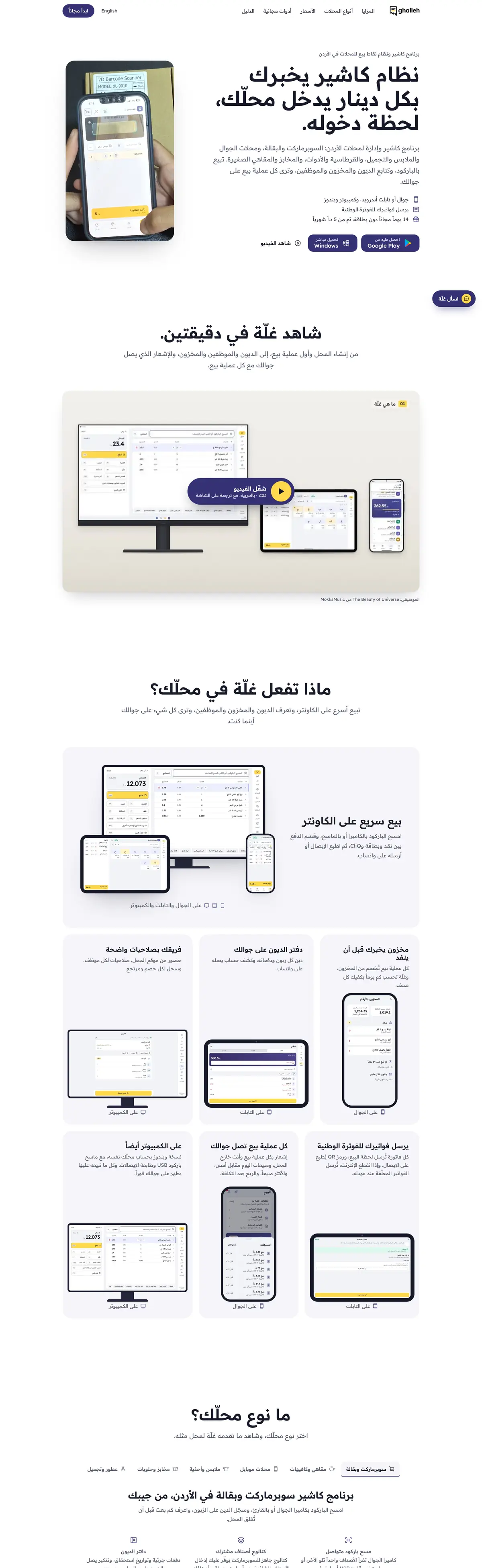
Ghalleh lets a shop sell by barcode, take cash or card, keep customer debts, track stock and see every sale on the owner's phone. It sends invoices to JoFotara, the national e-invoicing system.
What we built
Mobile apps for Android and iPhone, a Windows app for the counter that stays in sync with the phone, a back office for support and messages, and a website with guides and free tools.
Built for real shops
Arabic first, works without internet and syncs when the connection returns, with a catalogue of ready packaged items so a shop can start selling on the first day.
Who it is for
Ghalleh is for small shops in Jordan: mini markets, groceries, phone and accessories shops, bookshops, cosmetics and household goods. A typical small shop runs on a notebook for customer debts, a calculator at the counter and the owner's memory for stock. Ghalleh had to replace all three without asking the owner to learn a computer system.
Design decisions at the counter
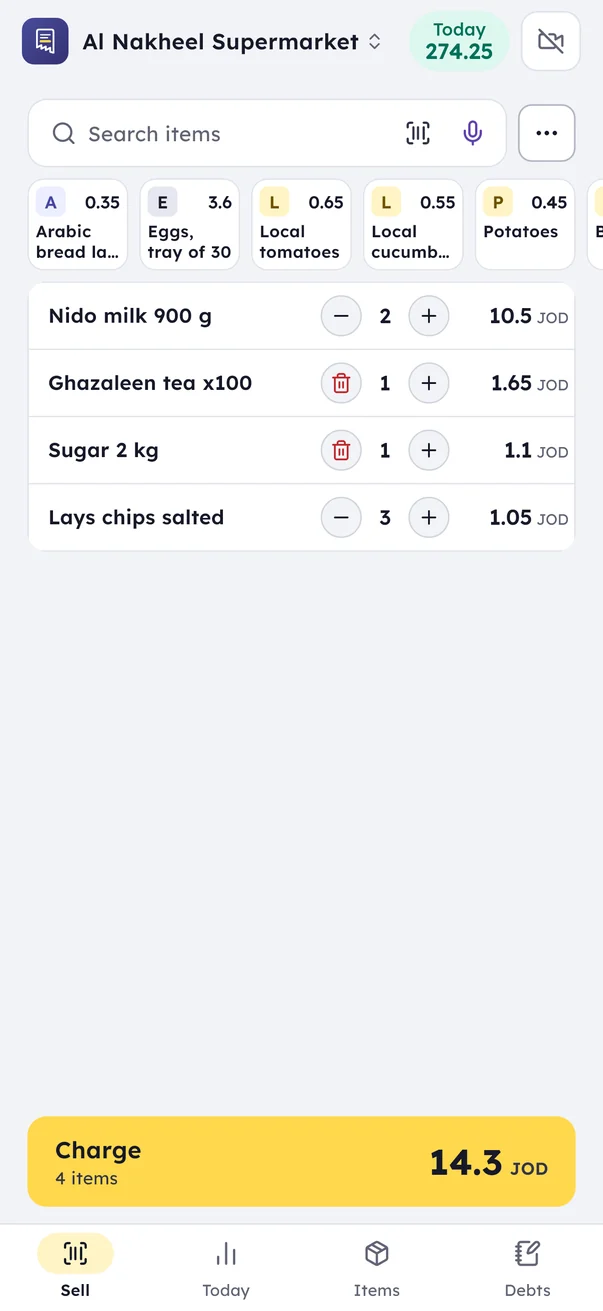
- Selling takes as few taps as possible. Scan, check the total, take the money. Everything else waits until the customer has left.
- Arabic first. Item names, receipts, reports and messages use the words shop owners in Jordan use at the counter.
- Debts sit next to the sale. Selling on credit to known customers is normal in neighbourhood shops, so recording a debt is part of the sale, not a separate module.
- Offline by default. A sale is saved on the device first and synced after, so a weak connection never stops the till.
- Ready items. A catalogue of common packaged items means a shop can start selling without typing hundreds of products on the first day.
One shop on several devices
A shop may sell from a phone and from a Windows PC at the counter, while the owner checks the day from home. All of them work on the same shop. Each device keeps working without internet, and the changes from every device come together when the connection returns, so stock and sales stay consistent. The owner sees each sale on the phone without calling the shop.
JoFotara at the till
Businesses that must issue invoices through JoFotara can do it from inside Ghalleh: the invoice goes to the national system when the sale is made, and the QR code returned by the Income and Sales Tax Department prints on the receipt. Building this showed us where e-invoicing integrations fail in practice:
- Totals that differ by a fraction of a dinar because of early rounding, solved by calculating line amounts so the invoice total equals what the customer paid
- Invoice types that must follow the shop's tax registration, so the cashier never has to choose one
- Returns that must start from the original invoice as a credit note
- Sales made offline that wait in a queue and are checked before sending, so nothing is submitted twice
The same work is behind our JoFotara integration service for other systems. For the rules on who must issue e-invoices, see our JoFotara guide.
The back office and the website
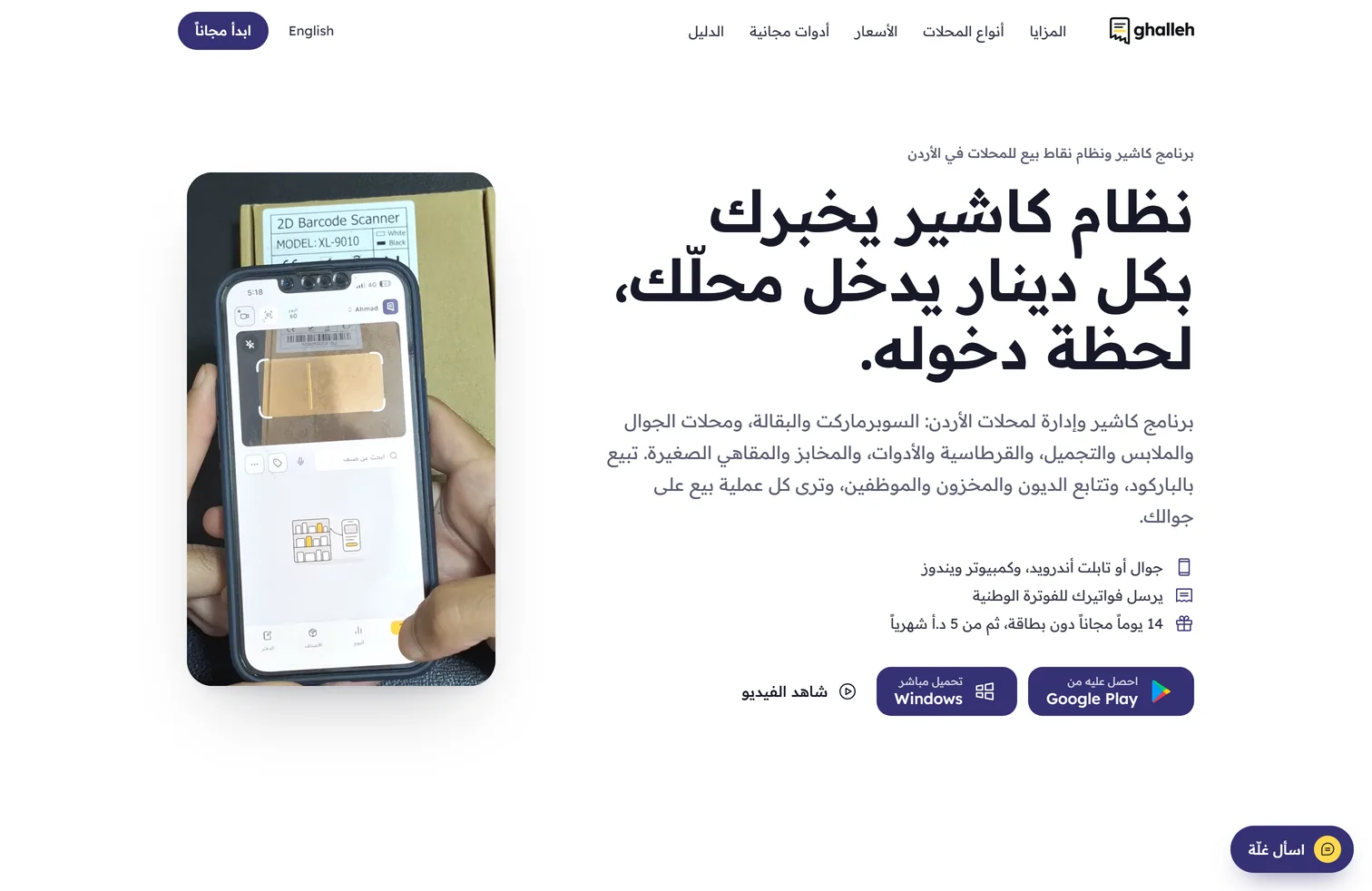
Behind the apps sits a back office our team uses for support and for the messages shops receive inside the app. In front of them is ghalleh.com, which is more than a download page: it carries guides written for shop owners and free tools, each one answering a question a shop owner actually searches for and pointing the reader to the app.
Why a small shop needs a different system
Systems built for companies assume an accountant, a trained cashier, a PC at every counter and a steady connection. A neighbourhood shop has none of these. It needs a till the owner can use on the first day without training, hardware the shop already has, selling that carries on when the internet drops, and a debts book, because credit to regular customers is part of how the shop works. Ghalleh was designed from those needs rather than cut down from a larger system.
The screens above
- Sell screen. Where the counter spends its day: scanned items, the running total and the payment.
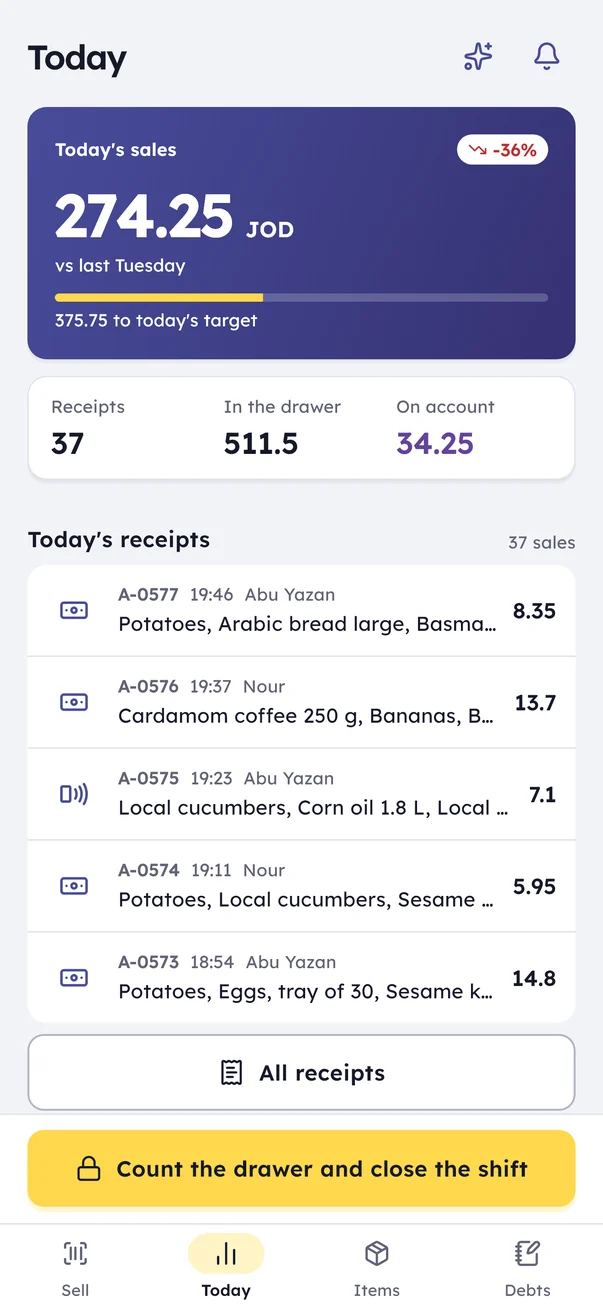
- Daily sales. The day at a glance for the owner, wherever they are.
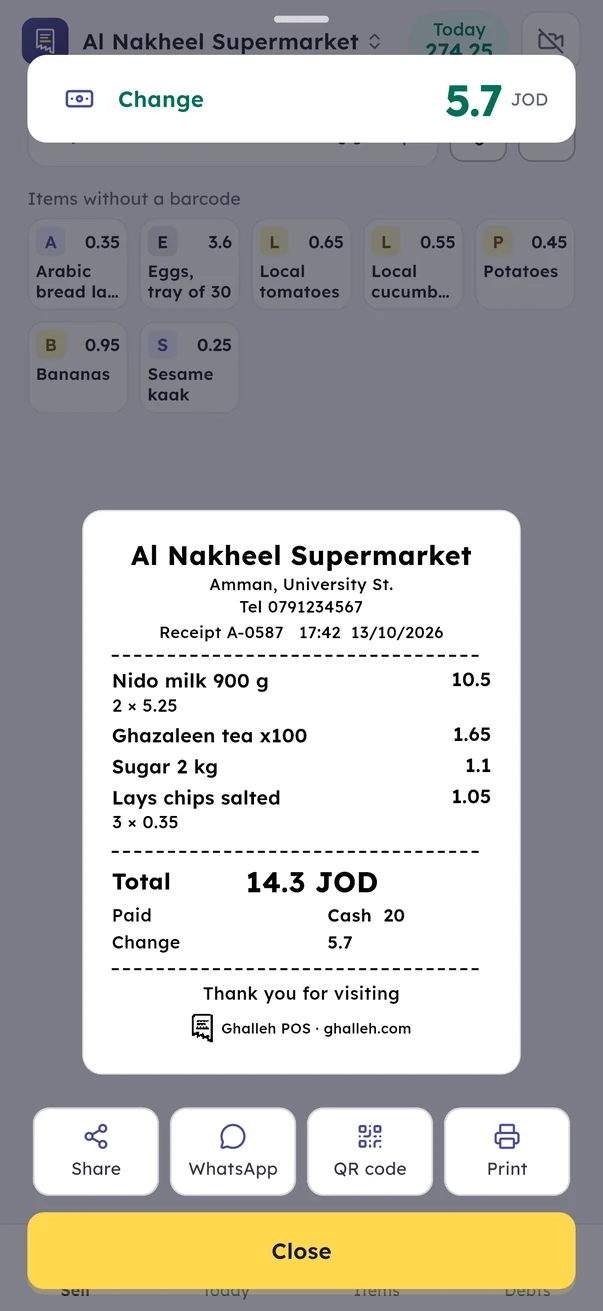
- Receipt. What the customer takes away, with the JoFotara QR code when the shop issues e-invoices.
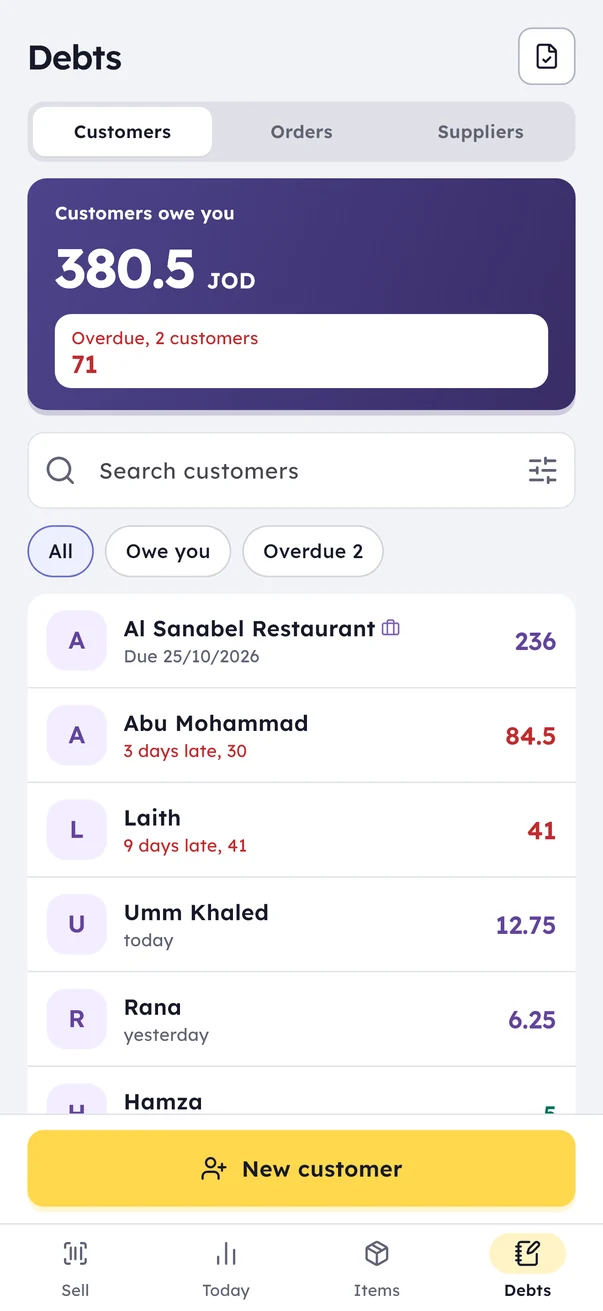
- Customer debts. Who owes what, so the paper notebook is no longer needed.
What a product like this needs after launch
A point of sale app lives on after launch. Store reviews, updates across many phone models, support questions and tax rules that change are all part of the work, and we planned for them from the first version. If you need a point of sale, a stock app or a system with JoFotara built around your own business, see custom software, mobile app development and our work for retail businesses.