

Restaurant ordering
Restaurant ordering system and app in Jordan
Guests order from your own menu on your site, in your app or from the table, and each order reaches the kitchen with the area, the payment method and the notes.
Ordering app, first version from
1,200JOD
2 to 4 weeks
An ordering site: from 500 JOD, 2 to 3 weeks
The closest work
A scan at the table, and a counter that issues the invoice
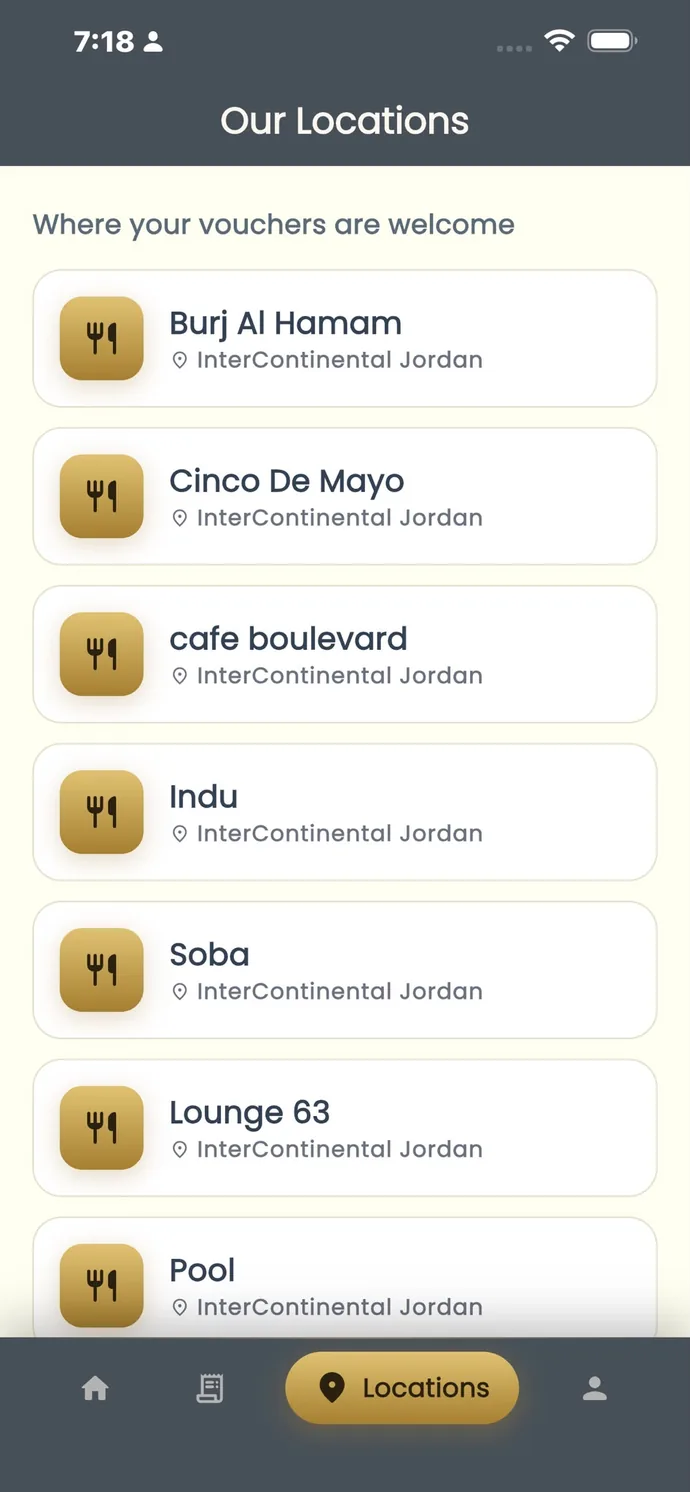
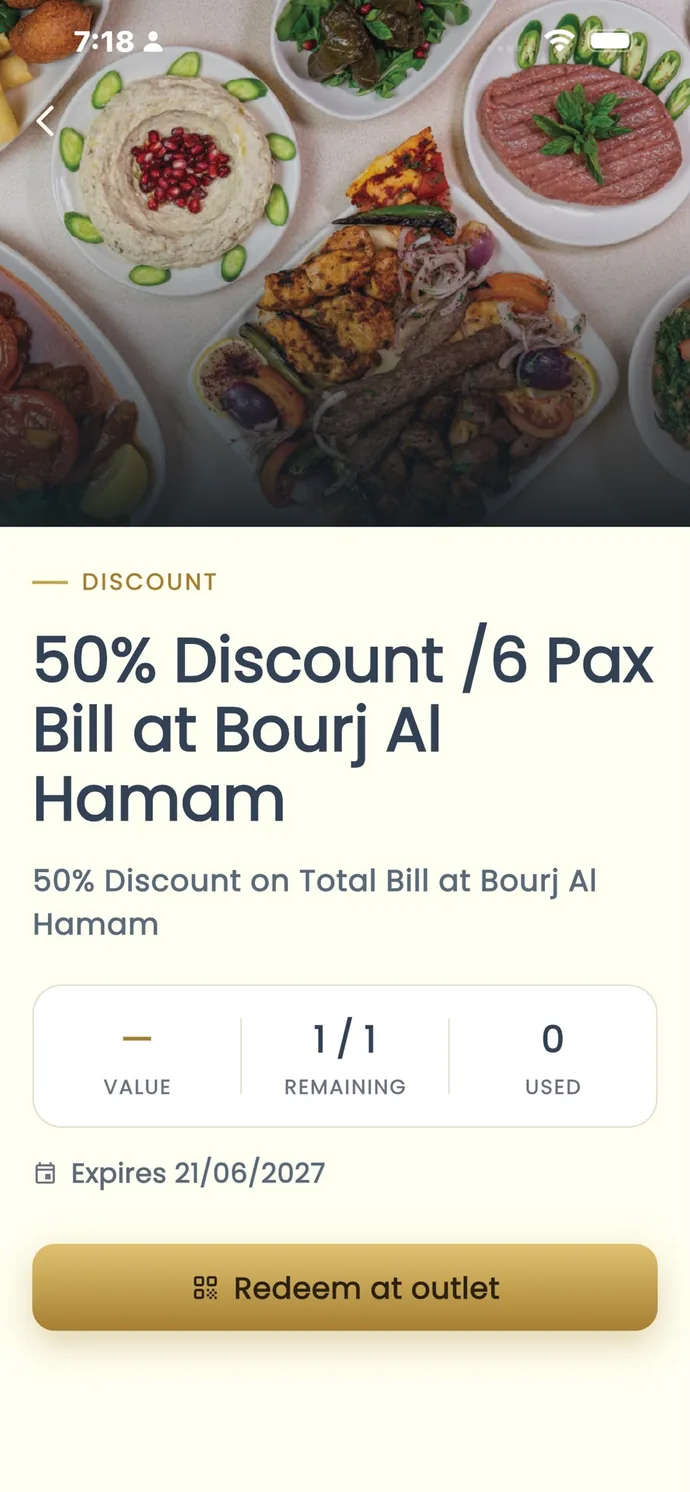
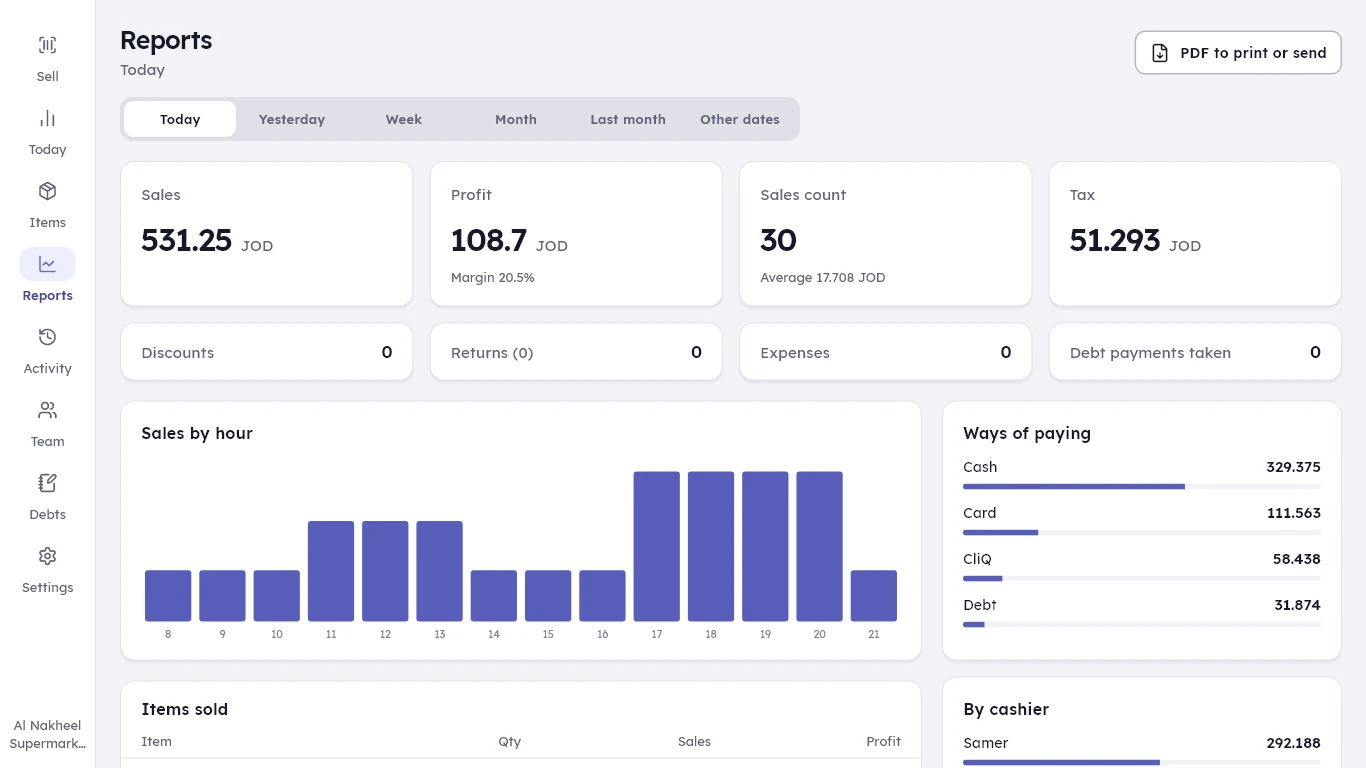
Real screens from two things we built: Gourmet Club, where a member redeems a dining voucher at a hotel restaurant, and Ghalleh, the POS used at shop counters in Jordan. We have no restaurant ordering system live yet.
A restaurant ordering system lets guests order from your own menu, on your website, in your app or from a QR code on the table, and sends every order to the kitchen with the payment method and the delivery area. Saree3 builds ordering systems for restaurants and cafes in Jordan. An ordering site starts from 500 JOD, an ordering app from 1,200 JOD, and a system with a driver app from 3,500 JOD.
Good fit if
- Regulars order from you every week, and you pay a delivery app a commission on each of those orders.
- Orders arrive by phone and WhatsApp, and at rush hour some are missed or written down wrong.
- Guests in the dining room wait for a waiter before they can order or ask for the bill.
- You have several branches and want each order to reach the right kitchen.
Not a fit if
- Guests only need to read the menu. A QR menu page starts from 250 JOD and is ready in days.
- Most of your orders come from people who have not tried you yet. Stay on the delivery apps first, and add your own ordering when regulars appear.
One order, from the menu to the kitchen
- 01The menu The guest opens your site or your app, or scans the code on the table, and sees the dishes with photos, prices and options such as size and extras. A dish that sold out today is hidden with one switch.
- 02The cart The guest chooses pickup, delivery or the table. For delivery they pick the area and see the fee and the minimum order before they confirm.
- 03The payment By card on the payment provider's secure page, or in cash on delivery or at the counter.
- 04The kitchen The order appears on the kitchen screen with a sound, or prints on the kitchen printer, with the table number or the area and the guest's notes.
- 05The status Staff mark the order accepted, ready and on the way. The guest sees each step and knows when to come or when to expect the driver.
Website, app or table: where do guests order?
On your own website. The link sits in your Instagram profile and on your Google listing, and nothing is installed. This fits most restaurants, and it is the first step we suggest. An ordering site on Shopify or WooCommerce starts from 500 JOD.
In your own app. An iPhone and Android app under your restaurant's name, with accounts, saved addresses, one tap reorder and notifications. It pays for itself when regulars order often. A first version starts from 1,200 JOD.
From the table. Each table has its own QR code that carries the table number. The guest orders and asks for the bill from the phone, and the waiter brings the food instead of taking the order. Phone orders are typed by staff into the same dashboard, so the kitchen sees one queue.
What you control from the dashboard
- Menu and prices
- Sections, dishes, photos, options and prices, changed in a minute and shown everywhere at once.
- Delivery areas
- The areas you deliver to, the fee for each and the branch that serves it.
- Minimum order
- A minimum for each area, so a far delivery is worth the trip.
- Hours and pause
- Opening hours for each branch, and a pause button that stops new orders when the kitchen is full.
- Orders and reports
- Every order with its status, and reports by day, by dish, by area and by branch.
- Staff roles
- Each person signs in with their own role, so a cashier sees the orders and cannot change the prices.
Kitchen screen or kitchen printer?
A kitchen screen is a tablet on the wall that shows the queue: new, in preparation and ready. One tap moves an order to the next step, and the guest sees the change. A kitchen printer prints a ticket for each order, which suits kitchens that already work from paper. Some restaurants use both, a screen at the pass and a printer at the grill.
The manager can also get a notification on the phone for every new order. If the internet drops in the kitchen, orders wait and appear when the connection returns, so nothing placed by a guest is lost.
Card or cash, and the invoice
Cash on delivery and cash at the counter need no setup. Card payment needs a payment gateway contracted in the restaurant's name with a bank or a licensed payment provider in Jordan, and we connect and test it: see payment gateway integration. If your POS issues the invoices, online orders can be sent to it so each one is invoiced there, when the POS offers an API. If you need a counter system as well, see our custom POS system with JoFotara invoices.
Your own ordering beside the delivery apps
Delivery apps bring people who have never tried you, and that is worth paying for. They also charge a commission on every order, including the tenth order from the same regular, and the customer's details stay with the app. Your own ordering is for those regulars: you set the prices and the offers, and you keep the phone number of each guest who agrees.
Moving regulars takes small steps. Put a card with your ordering QR code in every delivery bag, keep your own prices no higher than on the apps, and reward orders placed with you through a loyalty app or a simple points card. Most owners run both channels side by side.
Prices and what moves them
First app version from
1,200JOD
2 to 4 weeks
What moves the price
- Number of screens
- Payments, maps or chat
- Admin panel and reports
- Connections to other systems
A QR menu page without ordering starts from 250 JOD. An ordering site on Shopify or WooCommerce starts from 500 JOD and takes 2 to 3 weeks. An ordering app for iPhone and Android starts from 1,200 JOD for a first version with its dashboard, in 2 to 4 weeks, and from 2,500 JOD with card payments inside the app. A system with a customer app, a driver app and an admin dashboard starts from 3,500 JOD and takes 6 to 10 weeks. The price moves with the number of branches, table ordering, a kitchen screen or printer, card payments and a connection to your POS. You get a written proposal with a fixed price within one business day, with 50% to start and 50% at launch. The first 30 days of fixes are included, and care plans start from 180 JOD a year.
The closest work we have shipped
No restaurant ordering system of ours is live yet. The closest work is Gourmet Club, the membership app of a hotel in Amman: a member sits down at one of the hotel's restaurants, opens a dining voucher, chooses the outlet, and the waiter scans the code. It is in closed testing. Read the Gourmet Club case study.
The second is Ghalleh, our POS app used at shop counters in Jordan. It sells by barcode, takes cash or card and sends invoices to JoFotara, on Android, iPhone and Windows. See the Ghalleh case study. A scan at the table and a counter that issues the invoice are the two halves of an ordering system.
For branch pages, table reservations and catering enquiries, see restaurant and cafe website design, and if you run your own drivers, see delivery app development.
Frequently asked questions
How much does a restaurant ordering system cost in Jordan?
At Saree3 an ordering site on Shopify or WooCommerce starts from 500 JOD, an ordering app for iPhone and Android from 1,200 JOD, and a system with a driver app from 3,500 JOD. The final price depends on the number of branches, table ordering and card payments, and it is fixed in a written proposal before work starts.
Should I leave the delivery apps once I have my own ordering?
No. Delivery apps bring guests who have not tried you yet, so most restaurants stay on them. Your own ordering is for regulars: no commission on their orders, your own offers, and their contact details stay with you. Most owners run both.
Can guests order from the table with a QR code?
Yes. Each table gets its own QR code that carries the table number. The guest scans it, orders and can ask for the bill, and the order reaches the kitchen with the table number on it. Nothing is installed on the guest's phone.
How do online orders reach the kitchen?
On a kitchen screen, on a kitchen printer, or both. The screen shows each order as new, in preparation or ready, and a printer prints one ticket per order. The manager can also receive a notification for every new order.
Can guests pay by card when they order?
Yes, once the restaurant has a payment gateway contracted in its own name with a bank or a licensed payment provider in Jordan. We connect it and test it. Cash on delivery and cash at the counter work from the first day.
Can the ordering system connect to my POS?
Yes, when the POS offers an API. Online orders are then sent to the POS and invoiced there, so the counter and the website share one record of sales. Without that connection, orders are handled from the ordering dashboard.
Do you have a restaurant ordering system we can see?
Not a live one yet, and we say so plainly. The closest work we have shipped is Gourmet Club, a hotel membership app in Amman where the waiter scans a code at the table, and Ghalleh, our POS app used at shop counters in Jordan with JoFotara invoices.
Tell us what you are building
A written proposal with a fixed price and a clear scope.
Send it now and the written proposal reaches you within one business day.